
Accepting new client consultations this week
5.0/5.0 Stars238 Google reviewsAI & Automation · Pax, WV
AI Receptionist for Pax, WV Businesses That Answers Every Call
An AI receptionist answers your business line when your team can't, so Pax callers get a real conversation instead of voicemail. Prime Media Consulting, an official GoHighLevel Certified Partner, sets up AI receptionists for businesses in Pax, WV and the rest of Fayette County that answer questions, collect details, book appointments and send your team a summary of every call.
It can be the first voice on every call, answer only after hours, or pick up after a few rings without an answer. The choice is yours. It never replaces a person when callers want your team.
Official GoHighLevel Certified Partner
Free Local Snapshot for Pax businessesSee how you compare with your top 3 competitors on Google Maps, AI search and website speed. Takes about two minutes.Official GoHighLevel Certified Partner
- Free consultation and custom proposal
- Websites, SEO, CRM, social and AI under one roof
- Local team with offices in 9 states
- Clear monthly reporting — no long-term surprises
238
Google reviews
38
Offices
17
Industries
1 hr
Free strategy call
"Rated 5.0 out of 5 across 238 Google reviews — local businesses trust Prime Media to bring in more calls, leads and customers."
Book your free consultation
AI Receptionist in Pax, WV
Business goals and audience
SMS consent is optional and is not a condition of purchase. If you separately opt in, Prime Media Consulting may send automated marketing and appointment messages. Message frequency varies. Message and data rates may apply. Reply STOP to opt out or HELP for help. Privacy Policy · Terms. Providing a phone number or booking alone does not authorize marketing texts.
Excellent · 5.0 out of 5 on Google
Sarah Dyer
Google review · · La Jolla, CA
I appreciated the hands on digital guidance and clear communication. They made the website and marketing work easier to manage, explained everything clearly, and helped me move…
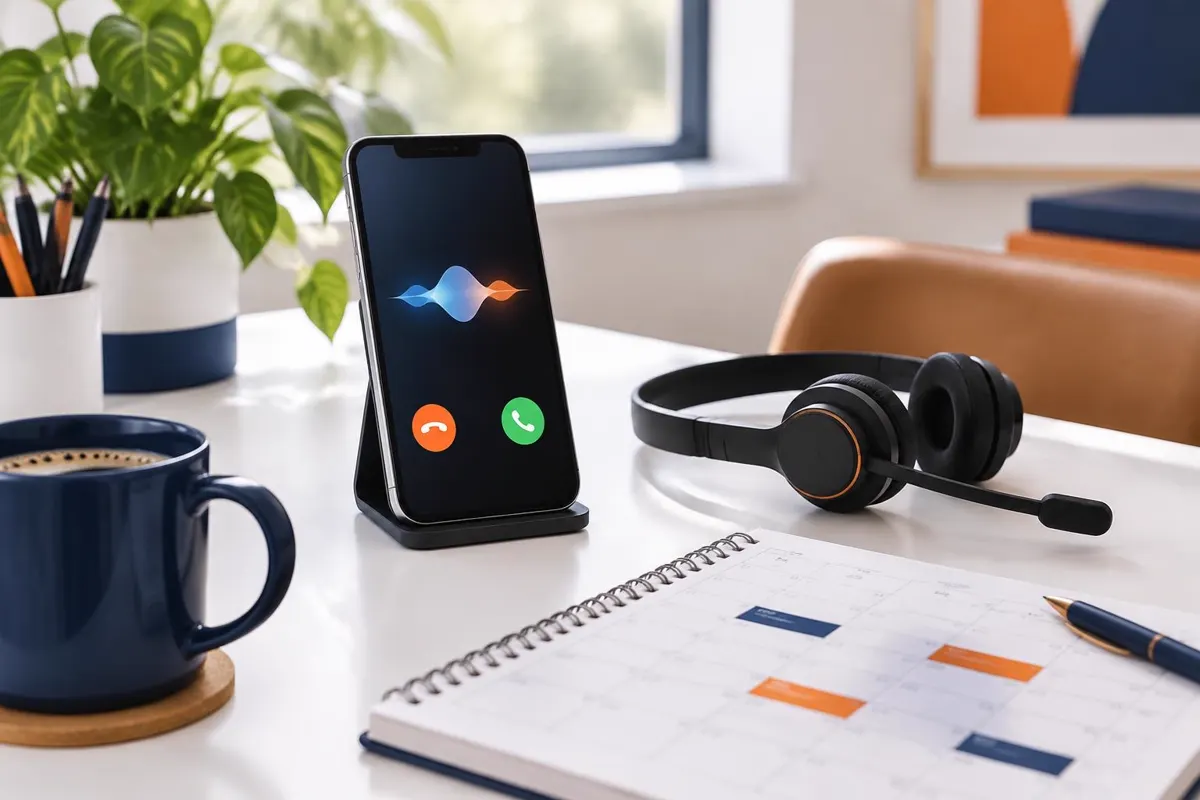
At a glance
AI Receptionist for Pax businesses
- Answers calls after hours and during busy times
- Books appointments into your calendar
- Sends a summary and transcript of every call
Who offers an AI receptionist in Pax, WV?
Quick answer
Prime Media Consulting, an official GoHighLevel Certified Partner, sets up AI receptionist for businesses serving Pax, WV. It answers calls after hours or when your team is busy, follows your approved script, books appointments and sends a summary of every call to your CRM. Call 866-813-8650 for a free review.
Where AI helps a Pax business most
With roughly 94 people in 59 households, Pax is one of the communities that make up Fayette County. Census ZIP code areas for Pax: 25904.
Missed calls and slow follow-up cost Pax businesses more work than most owners realize. Appointment-heavy businesses are common here: Fayette County counts 97 health care providers and 88 repair and personal-service shops. With about 59 households in Pax, a few saved leads a month add up.
An AI assistant can answer common questions and book appointments, with your team taking over when needed.
Serving Fayette County & Greater Pax
- AI Receptionist built around Pax customers
- One team for your website, search, CRM and AI
- Free strategy call before you commit
What an AI receptionist handles for Pax callers
Trained on your business, an AI receptionist is a voice assistant that welcomes callers from Pax using your business name. It takes care of the routine parts of each call:
- Gives callers answers to common questions about your services, hours and service area
- Asks the qualifying questions you choose, such as the type of job, address and timing
- Books, reschedules or confirms appointments after checking your calendar
- Flags urgent calls right away and collects a detailed message for calls that need a person
- Connects callers to a team member's phone if your rules call for it
AI Receptionist in the Pax market
West Virginia businesses outside the largest cities serve county seats, mountain and river towns and coal and farm communities, where many customers drive winding roads and pick a provider from a quick search. Winter storms, spring flooding and fall foliage and hunting seasons each bring their own busy stretches.
Long drives between towns mean customers often call, text or book after hours.
An AI receptionist lets Pax businesses answer during winter storms, fall foliage weekends and hunting season, when a small team simply can't pick up every line, and still send each caller's details to the right person.
What happens during a call, from beginning to end
- 1The call reaches your business number, and your rules decide whether a person or the AI receptionist answers.
- 2After welcoming the caller, the assistant identifies itself as an AI assistant and asks how it can help.
- 3Using your approved knowledge base, it provides answers and follows up with your chosen questions for that request type.
- 4It books an open time, transfers the call, or takes a message, depending on what the caller needs.
- 5Your team gets a text or email summary, and the recording, transcript and contact details save to the CRM.
What we set up for you
Script and Knowledge Base
Your actual services, service area and policies guide the greeting, questions and approved answers we create with you, so the assistant doesn’t have to guess.
Routing and Transfers
Rules decide which calls go to a person, which go to the assistant and which numbers ring for emergencies, by time of day and type of request.
Calendar Booking
Bookings stay within your allowed calendars, appointment types and time windows. The assistant also leaves time between jobs if you need it.
Summaries and Call Records
With every call, your CRM gets a new or updated contact containing a brief summary, transcript and recording, removing the need for anyone to type notes.
Voicemail, answering service or AI receptionist: which one?
| AI receptionist | Live answering service | Voicemail | |
|---|---|---|---|
| Answers after hours | Yes, every call | Yes, during contracted hours | No |
| Books appointments | Yes, into your calendar | Sometimes, often by message | No |
| Knows your services | Answers from your approved script | Depends on the operator's notes | No |
| Call record in your CRM | Summary, transcript and recording | Usually an emailed message | Audio file only |
Some businesses keep a live answering service for certain calls and let the AI receptionist cover overflow and simple requests. We can set up either approach.
Would an AI receptionist suit your business in Pax?
An AI receptionist fits best when calls are frequent and many of them follow the same pattern. Good candidates include:
- Service businesses that get calls while the team is on jobs
- Offices where customers still reach out once evening business hours end
- Businesses with staff who repeatedly explain the same things over hours of phone calls
- Companies that use phone calls to schedule estimates, consultations or service visits
- Owners who would rather read a call summary than decipher a voicemail
If most of your calls need a skilled person from the first second, we'll suggest using it only for overflow and after hours.
Rules for disclosure, recording and safety
Callers should never have to guess who they're speaking with. These rules apply to every AI receptionist we set up:
- It identifies itself as an AI assistant and lets callers request a person
- Recorded calls announce recording at the start; consent rules for recording differ by state, so we recommend confirming yours with your attorney
- It never provides medical, legal or financial advice, and any prices it quotes must have your approval
- Emergencies and safety issues transfer to your on-call number immediately
- Whenever you want, you can check transcripts and change the script
What you'll need to prepare for your AI receptionist launch
To speed up setup, we begin with what your Pax customers most often ask. Here's what helps to have ready before our first planning call:
- The jobs you do and don't take, listed by service
- The towns and ZIP codes you serve around Pax
- Your regular and holiday schedule, plus policies for emergencies or after-hours requests
- Who on your team should receive alerts, transfers and new leads
- Any scripts, FAQs or email templates you already use with customers
You don't need to have everything written down yet. We'll work through those details together during setup, then store the answers in your CRM to keep the whole team working from the same information.
How AI receptionist connects to the rest of your Pax marketing
Connecting every lead source helps your AI receptionist work effectively. We often combine it with CRM & Automations in Pax, a website designed for Pax customers and local SEO in Pax. That way, people who discover your business can get in touch and receive a quick response.
Want the full picture before you decide? Read our AI receptionist service overview, or see all of our Pax services.
Official GoHighLevel Certified Partner
Set up by a GoHighLevel Certified Partner
As a GoHighLevel Certified Partner, we manage the number setup, script and testing for your AI receptionist. We build it using GoHighLevel's voice AI tools, linking it to your business number, calendar and CRM pipeline.
How we set up an AI receptionist in Pax
Step 1: Free Review
How customers in Pax contact you and where conversations stall guide our review.
Step 2: Plan the Rules
Together, we settle on an AI receptionist's scripts, answers, hours and handoffs.
Step 3: Build in GoHighLevel
After connecting your number, calendar, website and CRM, we draft the messages.
Step 4: Test Together
You try it as a customer would, and we adjust anything that doesn't sound like you.
Step 5: Launch and Review
It goes live, and we review conversations with you and refine it over time.
More AI and automation services in Pax
- AI Marketing Solutions in Pax
- Missed Call Text Back in Pax
- AI Website Chatbot in Pax
- AI Lead Follow-Up Automation in Pax
- AI Review Management in Pax
- AI Appointment Booking in Pax
Nearby communities
Get an AI receptionist working for your Pax business
Call 866-813-8650 or submit the proposal form for a free review with no purchase obligation. Share how customers currently contact you, and we'll point out where an AI receptionist could help first.
Are you ready to grow your business?
Contact us to work with a results-driven digital marketing agency
Local market data · U.S. Census Bureau
What Census data says about an AI receptionist in Pax
The U.S. Census Bureau counts about 94 residents in Pax, living in 59 households on 0.3 square miles of land.
Median household income is $26,979, 53% below the West Virginia median of $57,917. The median age is 62.2, against 42.7 for West Virginia as a whole.
Pax is smaller than each of the adjacent communities in the table below.
Fayette County, WV has 693 business establishments in the Census Bureau's County Business Patterns, including 97 health care and social assistance providers, 88 repair, personal-care and other service businesses and 35 professional, scientific and technical firms.
Many Pax-area businesses run on calls and appointments — Fayette County, WV alone has 97 health care providers and 88 repair and personal-care businesses — so missed calls and slow follow-up cost real bookings.
- Households
- 59
- Occupied homes — the addresses a mailer or door hanger can reach.
- Median household income
- $26,979
- West Virginia median: $57,917.
- Health care and social assistance providers
- 97
- In Fayette County, WV (County Business Patterns 2022).
- Repair, personal-care and other service businesses
- 88
- In Fayette County, WV (County Business Patterns 2022).
| Nearby community | Distance | Residents | Median household income |
|---|---|---|---|
| Mount Hope | 5.1 mi | 1,369 | $26,983 |
| Oak Hill | 7.2 mi | 8,057 | $51,799 |
| Mabscott | 10.1 mi | 1,488 | $58,125 |
Sources: Census ACS 2019–2023; County Business Patterns 2022. Straight-line distances; area figures, not promised results.

Frequently asked questions
It picks up your business line according to your rules, welcomes callers using your business name, and answers questions with your approved script. It also books appointments or takes messages, then sends your team a summary and transcript. You choose when it answers, including after hours or while the line is busy, and which callers go directly to a person.
Each call is recorded in your CRM, keeping everything a Pax customer says on file.
Yes. We have the assistant identify itself as an AI assistant, with the option to speak to a person whenever callers ask. Being clear about this maintains trust with customers. You approve its greeting and wording before the first real call.
If recording is enabled, we also include a short notice and follow the consent requirements that apply to you and the people calling.
Usually, yes. Keeping your number means your listings, website and vehicle graphics can stay as they are. Calls forward to the AI receptionist only at times you select, like when you are closed or nobody picks up after a few rings. If you would rather use a new local number, we can add one.
We check the forwarding before going live to keep Pax callers from reaching a dead end.
Pricing varies with your call volume, appointment types, transfer rules and whether GoHighLevel is already part of your business. We start with a free review and then send a written quote. During that review, we hear how you currently receive calls, how many are unanswered and what callers commonly ask. The recommendation reflects your Pax business, not a one-size setup.
Call 866-813-8650 or submit the proposal form. We start by reviewing your calls and services, then work with you on a script and test it before it handles a real customer. It includes your services, coverage area, hours and common questions from Pax customers.
Once it is live, we go through transcripts together and update answers or transfer rules as your business changes.
Pax has about 94 residents in 59 households, and Fayette County, WV has 693 business establishments, according to the U.S. Census Bureau. The county also counts 97 health care and social assistance providers, a useful guide to who you compete with or sell to.
Whether an AI receptionist pays off depends on your offer, pricing and competitors, so we start with a free Local Snapshot of how your Pax business shows up today.
Last reviewed by the Prime Media Consulting team.

Prime Media Consulting
Discuss your project